
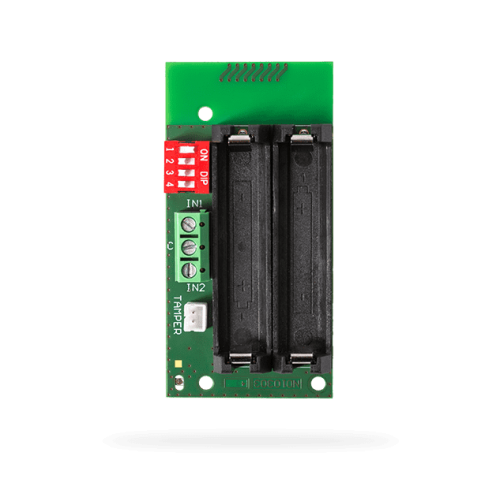
JA-162M Wireless input module
- Product Code: JA-162M
- Availability: In Stock
| Power | 2 x alkaline battery, type AAA (LR03; 1.5 V/1 Ah) Please note: Batteries are not included. |
| Typical lifetime of batteries | max 2 years (max. 4 activations daily) |
| LowBatt state | <2 V |
| Quiescent current consumption | 10 µA |
| Maximum current consumption | 50 mA |
| Communication frequency | 868.1 MHz, protocol JABLOTRON |
| Maximum radio-frequency power (ERP) | 8 mW |
| Communication range | approx. 300 m (unrestricted area) |
| The maximum length of cable for external detectors | 3 m |
| Dimensions | 38 x 76 x 15 mm |
| Weight | 22 g |
| Classification | Security grade 2/Environmental class II (EN 50131-1) with JA-195PL |
| Operational environment | indoor general |
| Operating temperature range | -10 °C to +40 °C |
| Average operating humidity | 75% RH, without condensation |
| Certification body | Trezor Test s.r.o. (no. 3025) |
| Complies with | EN 50131-1, EN 50131-3, EN 50131-5-3, EN 50131-6, ETSI EN 300 220-1,-2, EN 50130-4, EN 55032, EN IEC 62368-1, EN IEC 63000 |
| Can be operated according to | ERC/REC 70/3 |
Overview
The JA-162M is a wireless module of the Jablotron security system, featuring two independent universal inputs and the option to connect a tamper contact. Available through Pacific GSM for New Zealand Jablotron 100+ projects.
The product can be connected to various devices such as magnetic contacts, flood sensors, or, when connected to the CT-01 roller shutter movement sensor, it can also be used to detect manipulation of the external window shutters.
The product is intended for installation by trained technicians with a valid Jablotron certificate issued by an authorized distributor.
Key features
- Integrates with Jablotron 100+ control panels as a wireless module with two universal inputs peripheral.
Ideal for / Compatibility
Suited to Jablotron 100+ installations needing a wireless module with two universal inputs (Modules, Input).
Installation notes
Have a certified installer mount the device, enrol it in F-Link, and follow the English installation manual included with these assets.